Form SA100: Self Assessment Tax Return
HM Revenue & Customs · Tax year 6 April 2025 to 5 April 2026 (HMRC 12/25)
About Form SA100
The SA100 is the core of the Self Assessment system. It collects your personal details, any income and gains you report and the tax calculation, and it points you to supplementary pages for particular kinds of income.
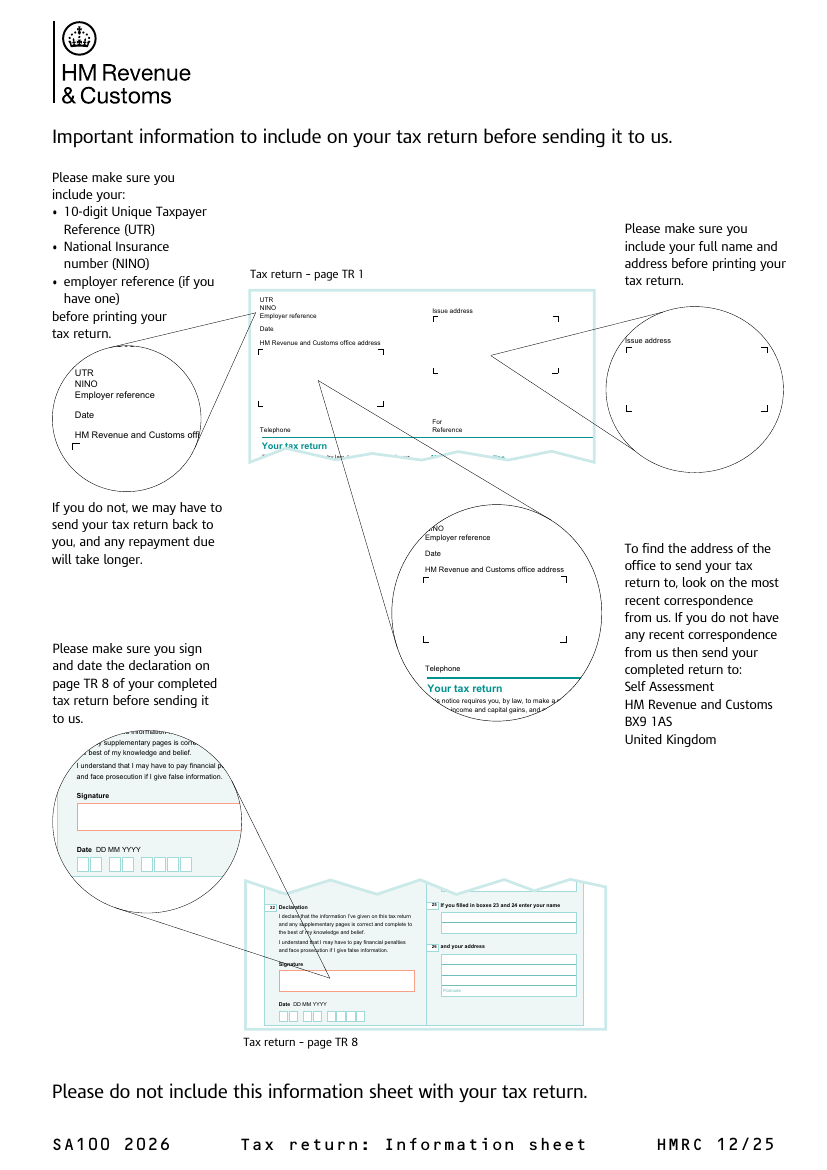
This PDF includes an information sheet and the pages of the return for the 2025 to 2026 tax year.
Who needs it
People who HMRC asks to file a Self Assessment return, such as the self-employed, landlords, company directors and people with income that is not taxed at source. Some of them also need supplementary pages.
When to use it
- HMRC has told you to send a Self Assessment return for the tax year.
- You have income or gains that are not fully taxed through PAYE.
- You want to claim reliefs or allowances that are claimed through a return.
When not to use it
- You are reporting only UK property income pages. Those go on the SA105 together with this return.
- You only need to tell HMRC about a new employee. That is a different form.
- You are filing for a different tax year. Use the return for that year.
Parties involved
- Taxpayer: The person who completes and signs the return.
- Tax adviser or agent: Someone who completes the return for the taxpayer, if you use one.
- HMRC: Receives the return and works out whether tax is due or repayable.
Key terms
- UTR: Unique Taxpayer Reference, the 10-digit number HMRC gives you for Self Assessment.
- Supplementary pages: Extra pages for income such as self-employment or UK property.
- Tax year: The period from 6 April to 5 April of the following year.
How to fill it in
- Read the information sheet: The first page explains what to include before you send the return.
- Enter your details: Give your name, address, UTR and National Insurance number.
- Answer the questions on page 2 onward: Say which supplementary pages you need and complete the sections that apply to you.
- Work out the tax: Use the calculation guide and the Tax calculation summary pages to see what you owe.
- Sign the declaration: Sign and date the declaration on the last page before sending the return.
Before you start
- Have your Unique Taxpayer Reference (UTR) and National Insurance number ready before you start.
- Complete the supplementary pages that apply to you, such as self-employment or UK property, and keep them with the return.
- Check the tax year printed on the form matches the year you are reporting.
Questions
What is Form SA100?
The SA100 is the main Self Assessment tax return for individuals in the United Kingdom. It is where you report your income and gains for a tax year and work out the tax you owe or any refund due.
Do I need other pages as well?
Possibly. The return tells you which supplementary pages apply, for example for self-employment or UK property.
Where can I find my UTR?
It is on letters from HMRC about Self Assessment and in your HMRC online account.
Is the tax year printed on the form?
Yes. Check it matches the year you are reporting before you start.