Form 1040: U.S. Individual Income Tax Return
Internal Revenue Service · 2025
About Form 1040
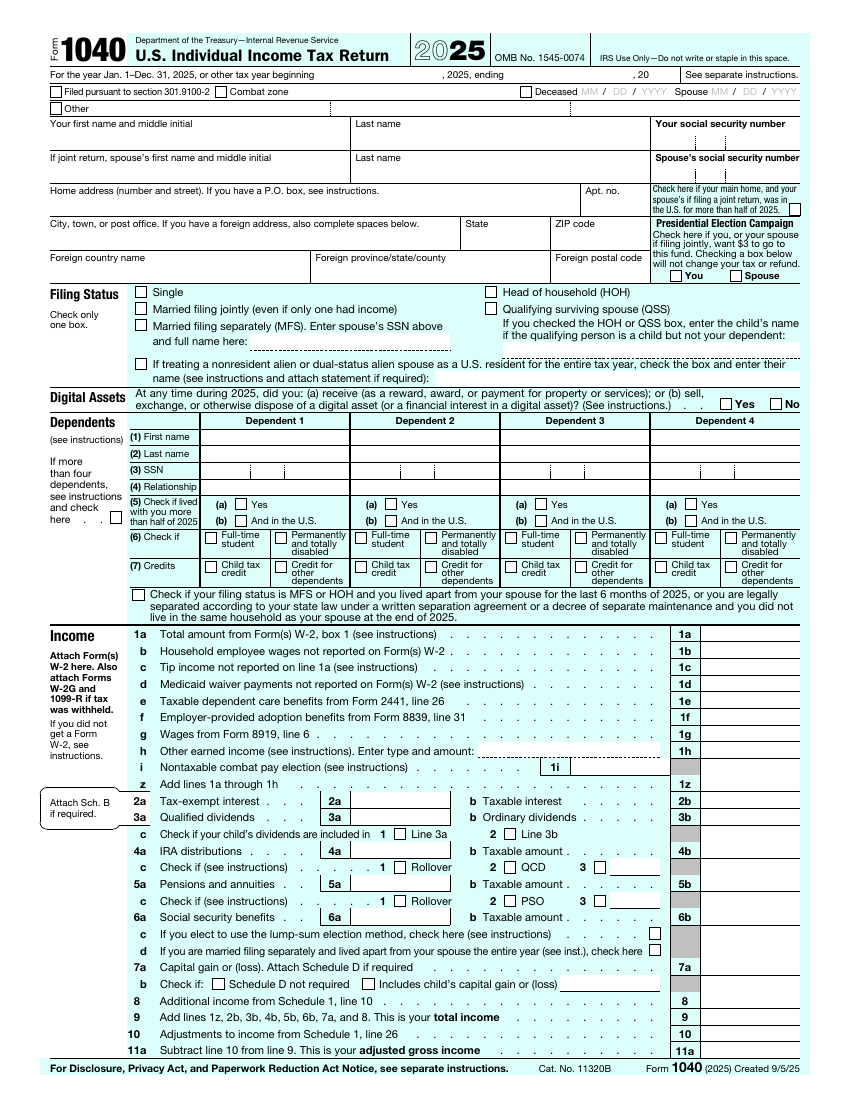
Form 1040 is the return most individual taxpayers use to report what they earned and calculate the federal tax they owe. The form is two pages, and extra schedules are attached when your situation needs them.
It starts with who you are and your filing status, then moves through income, adjustments, deductions, tax, credits and payments, and ends with the refund or balance due and your signature.
Who needs it
U.S. citizens and residents who file a federal income tax return. Many people also attach schedules for things like business income, other income or extra credits.
When to use it
- You need to report your income and figure your federal tax for the year.
- You want to claim a refund of tax that was withheld or paid during the year.
- You are claiming credits or deductions that are reported on the return.
When not to use it
- You only need to pay estimated tax during the year. Use Form 1040-ES for that.
- You only need to change your mailing address with the IRS. Use Form 8822.
- You are a nonresident alien who must file a different return, such as Form 1040-NR.
Parties involved
- Taxpayer: Reports income and signs the return.
- Spouse: Signs too when you file a joint return.
- Dependent: A child or relative you claim, whose details you list on the form.
- Paid preparer: A tax professional who prepared the return and signs in the preparer section.
Key terms
- Filing status: The category that sets your tax rates and standard deduction.
- Adjusted gross income: Your total income minus certain adjustments, used as the starting point for later steps.
- Standard deduction: A fixed amount you subtract from income instead of itemizing.
- Credit: An amount that directly reduces the tax you owe.
- Schedule: An extra form attached to the 1040 for items the main form does not cover.
How to fill it in
- Enter your details: At the top, enter your name, Social Security number, spouse's details if you file together, and your home address.
- Choose your filing status: Check one box: single, married filing jointly, married filing separately, head of household or qualifying surviving spouse.
- List your dependents: Add the people you claim as dependents and answer the questions that go with each one.
- Report your income: Enter wages, interest, dividends, retirement income and other income from your W-2 and 1099 forms.
- Take deductions and work out your tax: Enter the standard deduction or your itemized deductions, then follow the lines to your taxable income and tax.
- Add payments and credits: Enter tax already withheld, estimated payments and any credits to find your refund or the amount you owe.
- Sign and date: Sign the return. If you file jointly, your spouse signs too. Add a paid preparer's details if one helped you.
Before you start
- Have your Social Security number, and your spouse's and dependents' numbers, ready before you start.
- Collect the forms that report your income, such as W-2 and 1099 forms, before you fill in the income section.
- Check the filing status box carefully. It affects your standard deduction and tax rates.
Questions
What is Form 1040?
Form 1040 is the main federal income tax return for individuals. You use it to report your income for the year, claim deductions and credits, and work out whether you owe tax or are due a refund.
Is the return one form or several?
The 1040 is the main form. You attach schedules and other forms when you have income, deductions or credits they cover.
Which filing status should I choose?
Pick the one that matches your situation on the last day of the tax year. If more than one fits, the instructions explain which gives the better result.
Do I need to attach my W-2?
Yes, when you file a paper return you attach the copy of your W-2 that shows federal withholding, as the instructions explain.
Where do I sign?
At the bottom of the second page. A joint return needs both spouses' signatures.